
Sequence Wiz Help
  • Home
  • Health Records System
  • Sequence Builder
  • Contact

Sequence Wiz Help

Sequence Builder for Yoga Teachers and Yoga Therapists

  • How to make a sequence 15 Articles

    • Create new sequence
    • View and select poses
    • Add pose to sequence
    • Add new line
    • Move lines
    View all
  • How to work with Student Profiles 10 Articles

    • Add a new student (create new Profile)
    • Add student’s files and documents
    • Add structural observations
    • Add a new Session note
    • Duplicate, delete and finalize notes
    View all
  • How to work with Class Profiles 8 Articles

    • Keep track of payments
    • Add goals
    • Add new class
    • Track class attendance
    • View and change class attendance
    View all
  • How to create and send forms 13 Articles

    • Add new form
    • Create new form
    • Add Form to Student Profile
    • Preview Form
    • Print blank form and delete form
    View all
  • How to organize your business 9 Articles

    • Add a logo and personal information to the printout
    • Add two-step authentication for security
    • Disable two-step authentication
    • Using back up tokens to access your account
    • Add Google calendar
    View all
  • How to modify poses 15 Articles

    • How to modify a pose
    • Delete pose element
    • Draw curvy line
    • Reshape a line
    • Draw straight line
    View all
  • Copy, delete, print and email a sequence 4 Articles

    • Copy sequence
    • Delete sequence
    • Print sequence
    • E-mail sequence
    View all
  • How to edit your printout 4 Articles

    • Add a logo and personal information to the printout
    • Change page orientation
    • Change text size, image size and column width in printout
    • Print images only
    View all
  • How to work with Shared sequences (predesigned practices) 2 Articles

    • Preview and copy Shared sequences
    • Modify Shared sequences
    View all
  • How to work with Favorites (saved lines from sequences) 4 Articles

    • Save a line/row
    • Insert Favorite (saved line) into sequence
    • Sort Favorites (saved lines) by categories
    • Delete Favorite (saved line)
    View all
  • How to update your account information 10 Articles

    • Change password
    • Update your billing address
    • Cancel subscription
    • Change your email address
    • Subscribe to Sequence Wiz
    View all

Uncategorized

  • How to import data from another health records system to Sequence Wiz
  • How to connect your Zoom account to schedule online appointments
  • How to set your Doxy account for scheduling
  • How to link your Sequence Wiz Calendar to the Apple Calendar and Google Calendar

Latest news

  • 2-minute guide to Sequence Wiz
  • How to make a yoga sequence (quick guide)
  • Quick Tour of the Dashboard
  • How to Add a New Student
  • How to Add a New Session Note

How to create a yoga practice with sequence builder (VIDEO)

How to edit a yoga pose in the sequence builder (VIDEO)

Knowledge Base Categories

  • How to make a sequence 15
  • How to modify poses 15
  • How to create and send forms 13
  • How to update your account information 10
  • How to work with Student Profiles 10
  • How to organize your business 9
  • How to work with Class Profiles 8

Knowledge Base Articles

  • Create new sequence
  • Print images only
  • Cancel subscription
  • Preview and copy Shared sequences
  • View and select poses

Connect with us

  • Facebook
  • Twitter
  • Instagram
  • Email

Most popular topics

  • Create new sequence
  • Print images only
  • Cancel subscription
  • Preview and copy Shared sequences
  • View and select poses
  • Find pose
  • Print sequence
  • Add a logo and personal information to the printout
  • How to modify a pose
  • Add new pose from template
  • Modify Shared sequences

All topics

  • How to make a sequence
  • How to modify poses
  • How to create and send forms
  • How to update your account information
  • How to work with Student Profiles
  • How to organize your business
  • How to work with Class Profiles
  • Copy, delete, print and email a sequence
  • How to edit your printout
  • How to work with Favorites (saved lines from sequences
  • How to work with Shared sequences (predesigned practices
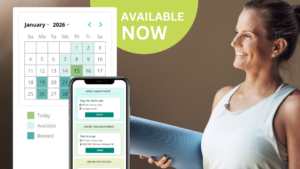
NEW SCHEDULING FEATURE IS LIVE

Sequence Wiz scheduling makes it easier than ever to manage your availability, share booking links, and let students book themselves seamlessly.

Learn more about the scheduling feature >

© Copyright SequenceWiz.org