
Sequence Wiz Help
  • Home
  • Health Records System
  • Sequence Builder
  • Contact

Sequence Wiz Help

  1. Home
  2. Knowledge Base
  3. How to modify poses

How to modify poses

15 Articles

How to modify a pose

  • 3
  • 6231

Delete pose element

  • 4
  • 4110

Draw curvy line

  • 3
  • 3857

Reshape a line

  • 0
  • 3572

Draw straight line

  • 1
  • 3710

Reflect element

  • 1
  • 3580

Rotate element

  • 0
  • 3486

Insert text

  • 1
  • 3403

Resize pose

  • 0
  • 3320

Add new pose from template

  • 0
  • 5622

Add props

  • 0
  • 3420

Add your own image (pose, mudra or any other)

  • 2
  • 3626

Duplicate pose element

  • 1
  • 3420

Delete extra poses

  • 2
  • 3625

Export (save) a pose

  • 0
  • 1950

Latest news

  • 2-minute guide to Sequence Wiz
  • How to make a yoga sequence (quick guide)
  • Quick Tour of the Dashboard
  • How to Add a New Student
  • How to Add a New Session Note

How to create a yoga practice with sequence builder (VIDEO)

How to edit a yoga pose in the sequence builder (VIDEO)

Knowledge Base Categories

  • How to make a sequence 15
  • How to modify poses 15
  • How to create and send forms 13
  • How to update your account information 10
  • How to work with Student Profiles 10
  • How to organize your business 8
  • Copy, delete, print and email a sequence 4

Knowledge Base Articles

  • Print images only
  • Create new sequence
  • Cancel subscription
  • Preview and copy Shared sequences
  • View and select poses

Connect with us

  • Facebook
  • Twitter
  • Instagram
  • Email

Most popular topics

  • Print images only
  • Create new sequence
  • Cancel subscription
  • Preview and copy Shared sequences
  • View and select poses
  • Find pose
  • Print sequence
  • How to modify a pose
  • Add a logo and personal information to the printout
  • Modify Shared sequences
  • Add new pose from template

All topics

  • How to make a sequence
  • How to modify poses
  • How to create and send forms
  • How to update your account information
  • How to work with Student Profiles
  • How to organize your business
  • Copy, delete, print and email a sequence
  • How to edit your printout
  • How to work with Favorites (saved lines from sequences
  • How to work with Class Profiles
  • How to work with Shared sequences (predesigned practices
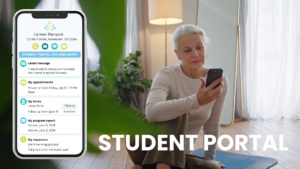
STUDENT PORTAL
Learn more about the student portal feature >

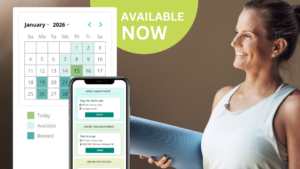
NEW SCHEDULING FEATURE IS LIVE

Sequence Wiz scheduling makes it easier than ever to manage your availability, share booking links, and let students book themselves seamlessly.

Learn more about the scheduling feature >

© Copyright SequenceWiz.org